
Screenshots

App details
- Updated
- 2024-09-12T00:43:57.6692006Z
- Requires
- Windows 10 version 17763.0 or higher
- Language
- English
- Developer
- Appsmegam_ba
- Category
- Mobile
SoftPas in:
This product is also available in the following languages:
About Percentage Calculator
Download Percentage Calculator – percentage calculator, tip calculator, profit margin calculator, marks percentage calculator, calculate percentage, percentage tool, percentage app
Overview
Percentage Calculator is a focused utility designed to streamline percentage-based computations across personal, academic, and professional contexts. The app serves as a digital solution for users who frequently need to calculate percentages without relying on manual methods or complex spreadsheets. Its primary purpose is to deliver fast, accurate results for tasks ranging from splitting restaurant bills to analyzing business profit margins. The tool is especially beneficial for individuals managing household budgets, students evaluating academic performance, or entrepreneurs assessing financial health. By eliminating the need for external tools, it enhances efficiency and reduces calculation errors. Developed by SoftPas, the app emphasizes simplicity and accessibility, making it suitable for users of all technical skill levels. Although the developer did not provide additional background details, the app’s clean design and straightforward functionality suggest a user-centered development approach. Real-world use cases include determining a 15% tip on a $60 meal, calculating a student’s percentage score from 87 out of 100 marks, or analyzing the markup on a product sold for $120 with a cost of $80. In the broader app ecosystem, Percentage Calculator fills a niche for lightweight, reliable tools that deliver immediate value without requiring internet access. Its offline functionality ensures usability in diverse environments, from classrooms to remote workspaces.
Key Features & Functionality
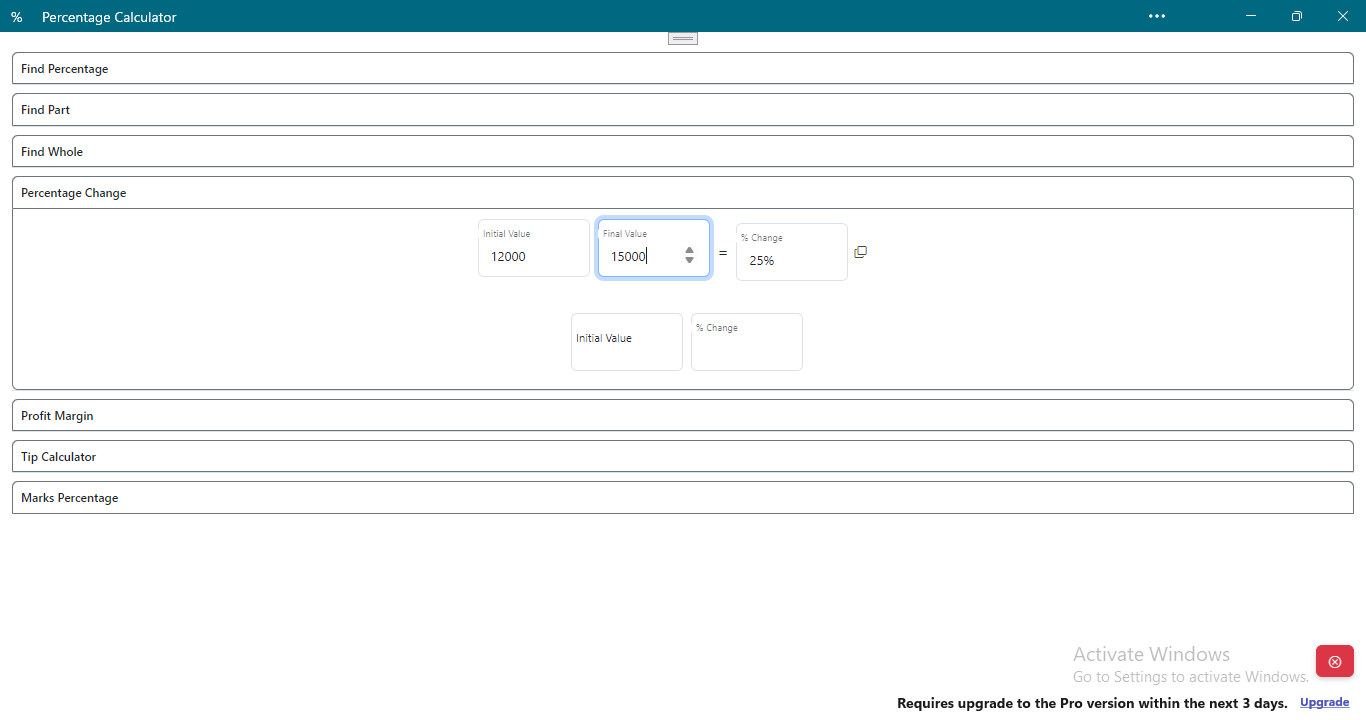
- Quick Percentage Calculation: Instantly compute what percentage one number is of another. Ideal for users needing fast answers during shopping, budgeting, or financial planning.
- Whole and Part Identification: Determine the whole amount when given a part and a percentage, or calculate a specific part based on a percentage of the whole. Useful for reverse calculations in sales, taxes, or academic grading.
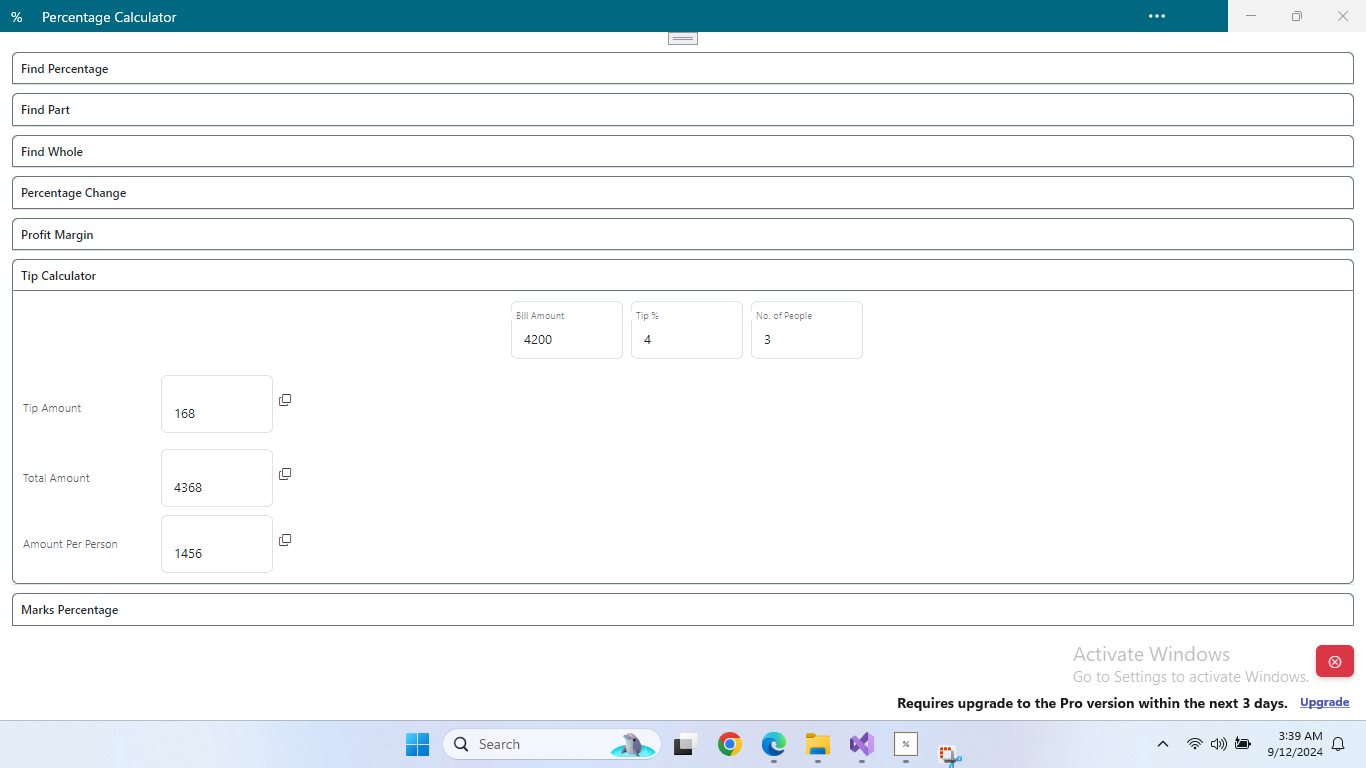
- Tip and Cost Splitting: Calculate tip amounts and divide total costs among multiple people. Perfect for dining out, group events, or shared expenses.
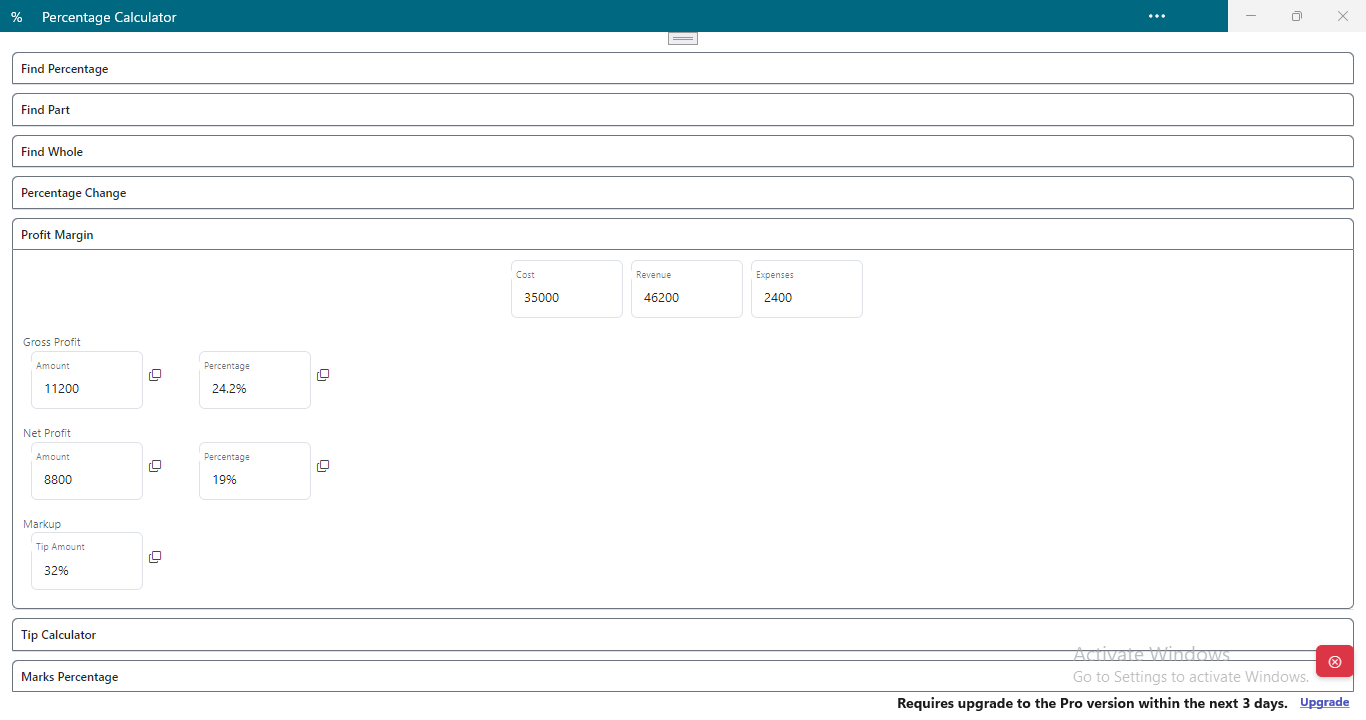
- Profit Margin Analysis: Assess gross profit, net profit, and markup percentages. A practical tool for small business owners and freelancers tracking financial performance.
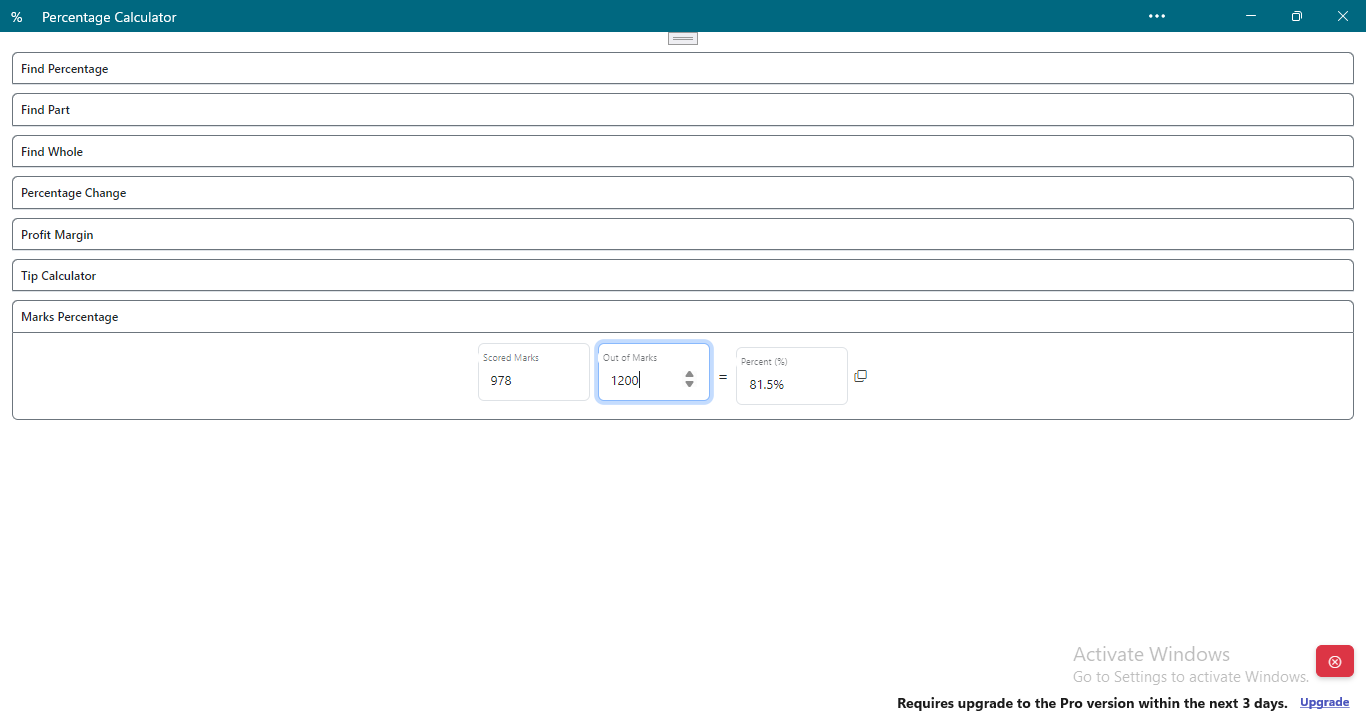
- Marks Percentage Calculation: Convert raw scores into percentage grades. Helps students monitor academic progress and educators assess class performance efficiently.
Each feature is designed to address real-life scenarios. For example, a student can use the marks calculator to determine their overall percentage from a test score of 78 out of 100. A business owner can use the profit margin calculator to evaluate the profitability of a product sold at $150 with a production cost of $90. In a social setting, users can split a $180 bill among four people with a 20% tip, ensuring fair distribution. The app’s functionality supports both everyday use and niche professional needs, making it a versatile tool across multiple domains.
Interface, UX & Performance
The app features a clean, minimalist interface that prioritizes clarity and ease of use. Navigation is intuitive, with clearly labeled input fields and straightforward buttons for each calculation type. The visual design is consistent, using neutral colors and readable fonts to minimize cognitive load. Users can switch between different calculation modes with minimal taps, enhancing workflow efficiency. Although the developer did not list formal performance metrics, the app’s lightweight size of 10 MB suggests optimized code and minimal resource consumption. It is expected to function smoothly on a wide range of Android devices, including entry-level smartphones and high-end models. Responsiveness is likely consistent across different screen sizes and resolutions. Stability is implied by the absence of reported crashes or bugs, though no official performance data was provided. The app operates entirely offline, which contributes to consistent performance regardless of network conditions. Users can expect fast processing times for all calculations, with results displayed immediately after input. The overall user experience is streamlined and purpose-driven, avoiding unnecessary distractions or complex menus.
Platform Compatibility & Technical Requirements
Percentage Calculator is available exclusively on the Android platform. The current version is 1.1.0, with a file size of 10 MB. This compact size indicates efficient coding and minimal bloat, allowing for quick installation even on devices with limited storage. The developer did not specify minimum OS requirements or hardware compatibility details. As such, compatibility with specific Android versions or device categories cannot be confirmed. Users are advised to ensure their device meets standard Android system requirements to run the app. No additional permissions were disclosed, suggesting a privacy-conscious design. The app’s offline functionality means it does not rely on internet connectivity, making it accessible in areas with poor signal or during data restrictions. While no official benchmarks were provided, the lightweight nature of the app supports broad compatibility across various Android devices.
Pros and Cons
Pros
- Lightweight and fast, with a small file size of only 10 MB.
- Offline functionality allows use without internet access.
- Intuitive interface suitable for users of all ages and technical levels.
- Multiple practical calculation types for diverse real-world needs.
- Completely free to download and use, with no in-app purchases or ads.
Cons
- Platform availability is limited to Android only.
- Specific OS version requirements were not disclosed.
- Developer did not provide detailed technical specifications or performance benchmarks.
- No integration with calendar, finance apps, or cloud services.
- Limited customization options for interface or layout.
FAQ
Is Percentage Calculator available for iOS devices?
The app is currently only available on the Android platform. No iOS version has been announced.
Does the app require internet access to function?
No, Percentage Calculator operates entirely offline, allowing users to perform calculations without an internet connection.
Is the app free to download and use?
Yes, the app is completely free to download and use. There are no in-app purchases or advertisements.
Can I use the app on older Android devices?
While specific compatibility details were not provided, the app’s small size suggests it may run on older devices. Users are advised to check their device’s system requirements.
Are my calculations stored or shared with third parties?
The developer did not disclose data handling practices. However, since the app functions offline and no permissions were listed, it is likely that no user data is collected or transmitted.
Final Thoughts
Percentage Calculator stands out as a reliable, no-frills utility for anyone needing quick and accurate percentage computations. Its thoughtful design, diverse functionality, and offline capabilities make it a valuable addition to any smartphone. Whether you're a student tracking grades, a professional analyzing profit margins, or simply someone splitting a bill with friends, this app delivers consistent results without complexity. The absence of ads and in-app purchases enhances its appeal as a truly free tool. While its Android-only availability limits reach, its lightweight nature and ease of use ensure broad accessibility. For users seeking a secure, efficient, and straightforward way to handle percentage-related tasks, this app offers clear value. Download Percentage Calculator now.
Guides & Tutorials
How to install Percentage Calculator
- Click the Download button above.
- Once redirected, accept the terms and click Install.
- Wait for the Percentage Calculator download to finish on your device.
How to use Percentage Calculator
This software is primarily used for its core features described above. Open the app after installation to explore its capabilities.
User Reviews
No reviews yet. Be the first to share your experience.
You may also like
more
Que no te pillen¡
About !Que no te pillen¡Reviewed by Jason A. BilbreyShow MoreShow Less

3D Combat Zone
About 3D Combat ZoneOriginally released in 1983, 3D Combat Zone immerses players...

666: El día del portal
About 666: El día del portalOn June 6, 2006, Agent P. Stone uncovers a sinister...

80 in 1 Best Flash games
About 80 in 1 Best Flash games 80 in 1 Best Flash games is a collection of 80 fl...

ABYSS SEEKERーーWhat Do You See Deep in The Abyss
About ABYSS SEEKERーーWhat Do You See Deep in The AbyssIn ABYSS SEEKER, players...

ACA NEOGEO THE KING OF FIGHTERS 2002 for Windows
About ACA NEOGEO THE KING OF FIGHTERS 2002 for WindowsTHE KING OF FIGHTERS 2002,...